Create Template
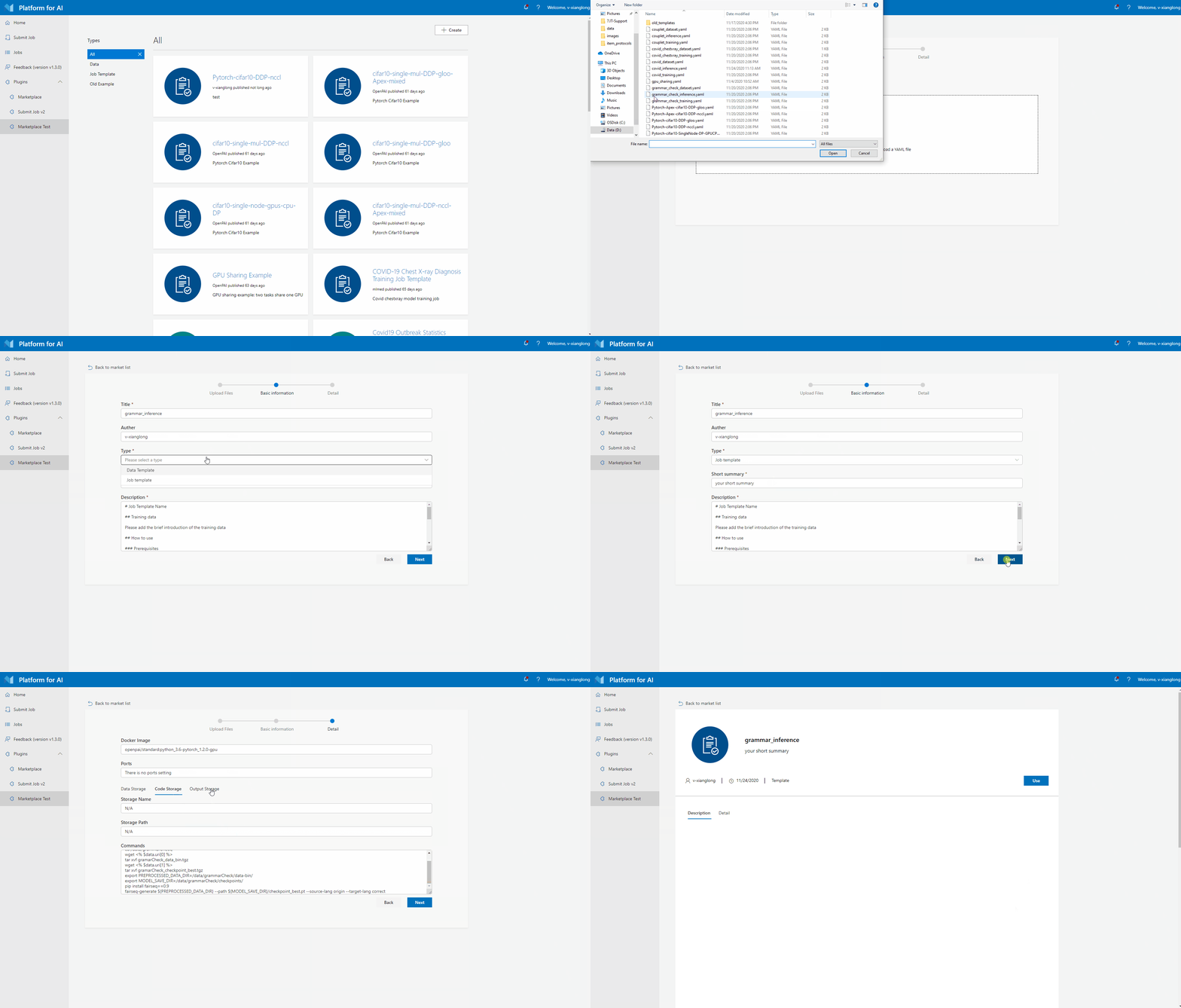
At current version (v1.4.0), the marketplace only support create job template. Create job template has 4 steps:
- Click
Createbutton at top right corner. - Upload OpenPAI protocol yaml file.
- Select type as "Job Template", fill other required form fields, then click "Next" button.
- Check template details and click "Next" button, then job template will be created successfully.
OpenPAI protocol yaml examples can be found here.